ZArchiver Pro Apk Download
Explore the ZArchiver Pro APK for Android, including its features, available versions, and device compatibility. Learn how the ZArchiver Pro app relates to ZArchiver Donate, what additional features the Donate edition offers, and how these official releases differ from unofficial Mod APKs. Check the version details before choosing the option that suits your needs.
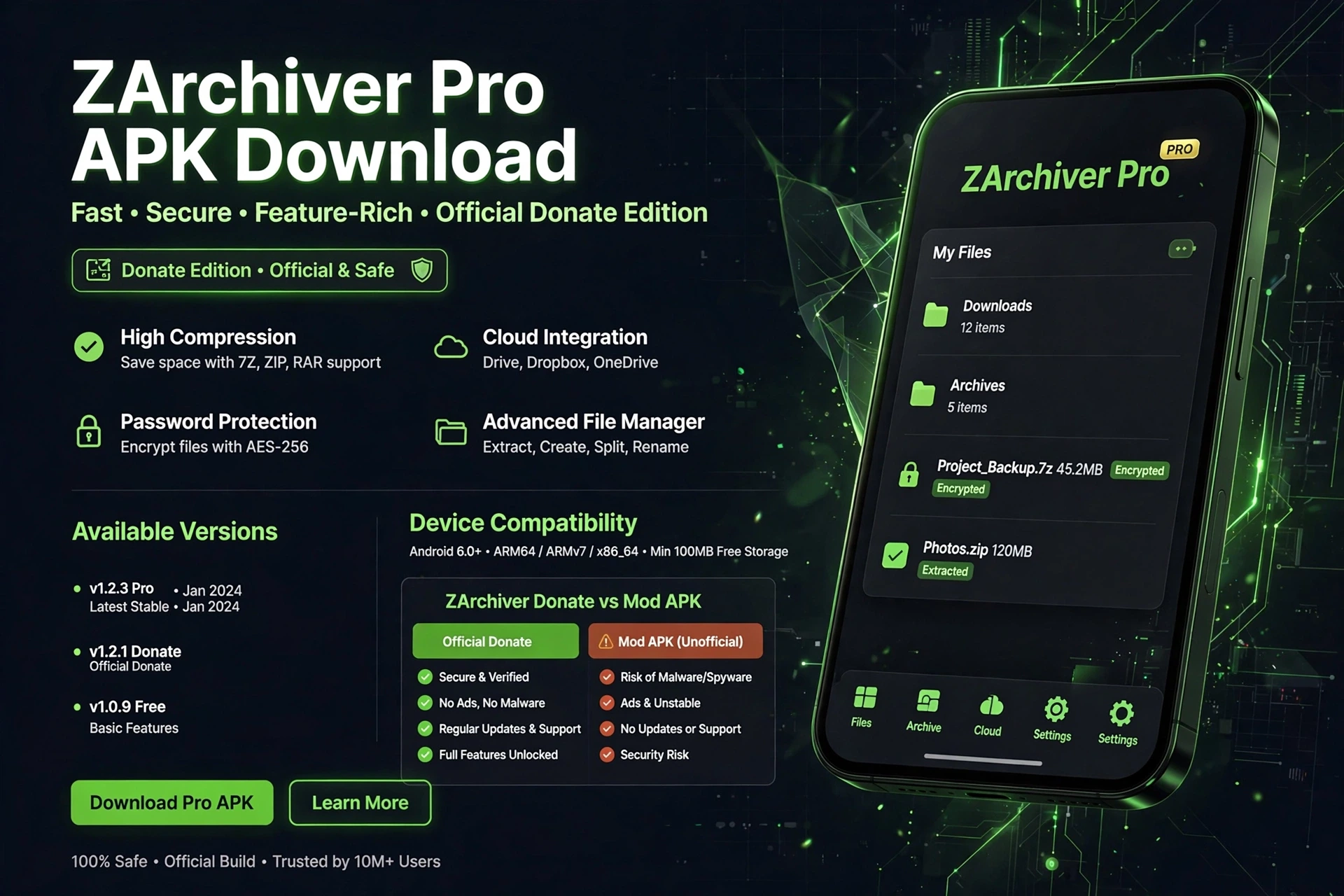
Quick Overview
Information |
details |
|---|---|
|
App Name |
ZArchiver Pro |
|
Developer |
ZDevs |
|
Platform |
Android |
|
Category |
Tools / Archive Management |
|
APK Format |
APK |
|
Latest Version Listed by Developer |
v1.0.10 |
|
Available APK Architectures |
ARMv8, ARMv7, X86 |
|
Pro APK Language Availability |
Russian and Ukrainian, according to the developer’s listing |
|
Official Special Edition |
ZArchiver Donate |
|
Additional Pro Features |
|
|
Package Name |
|
What Is ZArchiver Pro?
ZArchiver Pro APK is a version offered on the official ZDevs website in Russian and Ukrainian localizations. It is listed for users who cannot update the app for certain reasons. The ZArchiver Pro app has builds for different processor architectures, so checking the version, language, and device compatibility is important before choosing a ZArchiver Pro version.
The term “Pro APK” can also appear on third-party download pages, so the label alone does not prove that a file is official. ZArchiver Donate is the developer’s separately listed special edition, with additional features such as password storage, archive image previews, and light and dark themes. A listing named ZArchiver Donate APK or ZArchiver Pro Donate APK should be checked carefully to confirm which edition it actually provides.
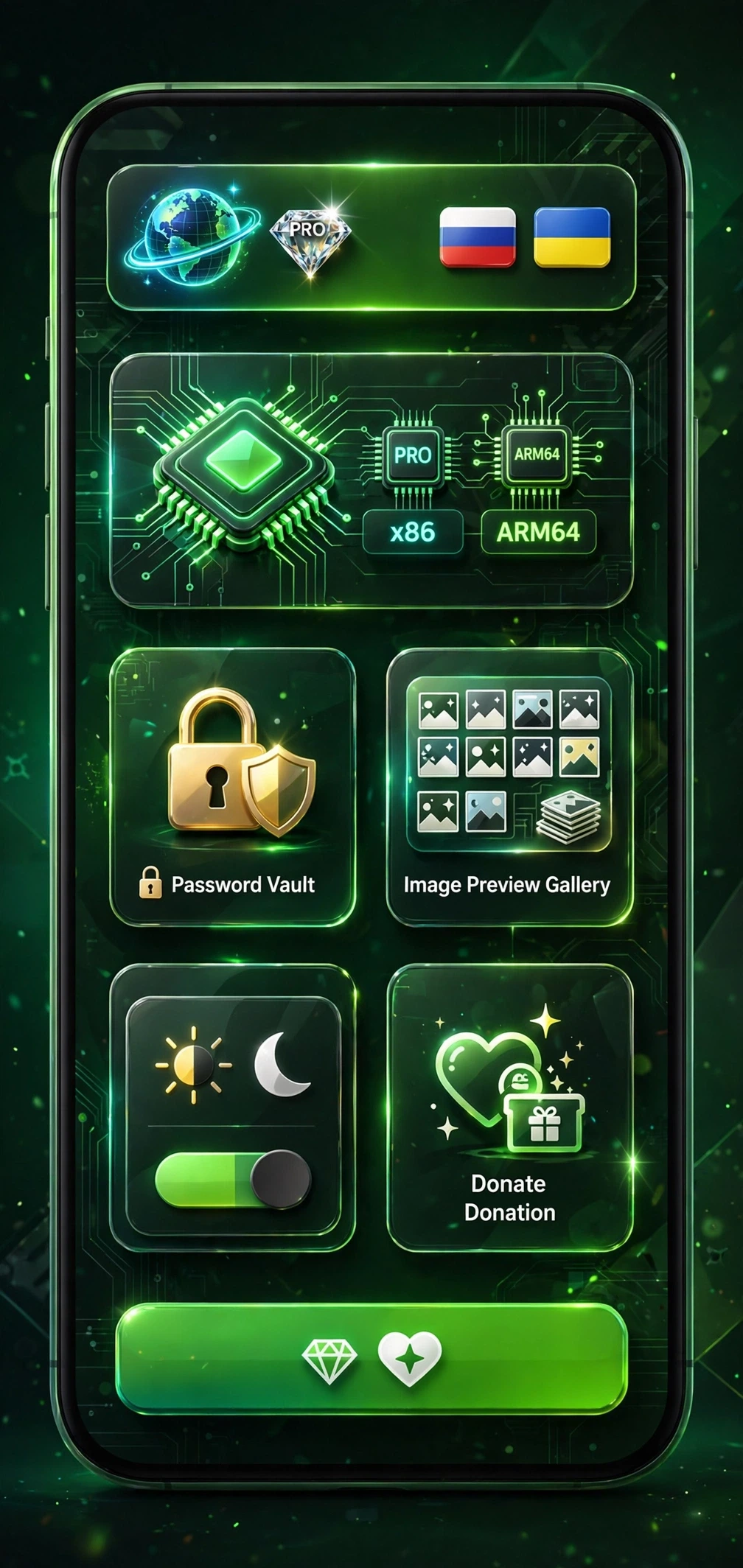
Features and Benefits
The features and benefits focus on making archive management more convenient. The additional options listed for ZArchiver Donate include theme customization, password storage, image previews, and editing supported files inside archives.
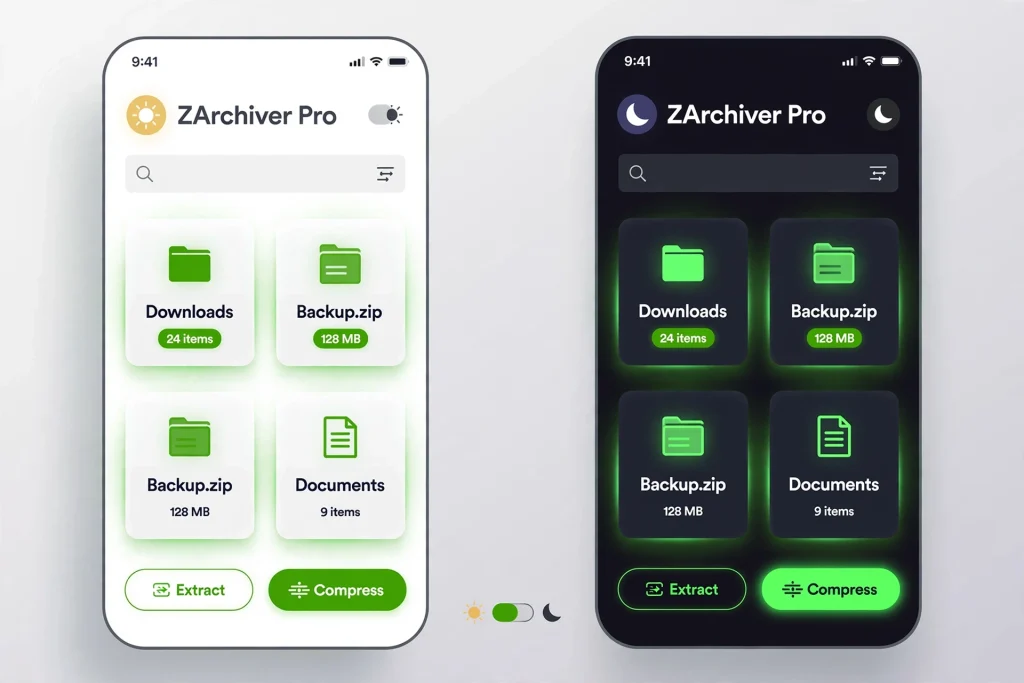
Light and Dark Themes
Choose a light or dark interface according to your preference. The ZArchiver Pro dark theme offers a darker appearance, while the ZArchiver Pro light theme provides a brighter layout for viewing files.
Password Storage
The password storage feature in ZArchiver Pro helps you save archive passwords for future use. This is useful when you regularly open password-protected archives and don’t want to enter the same password repeatedly.The app can also create multipart 7z archives and extract supported split 7z, ZIP, and RAR archives. When working with split files, keep all parts together in the same folder and start the extraction from the first part.
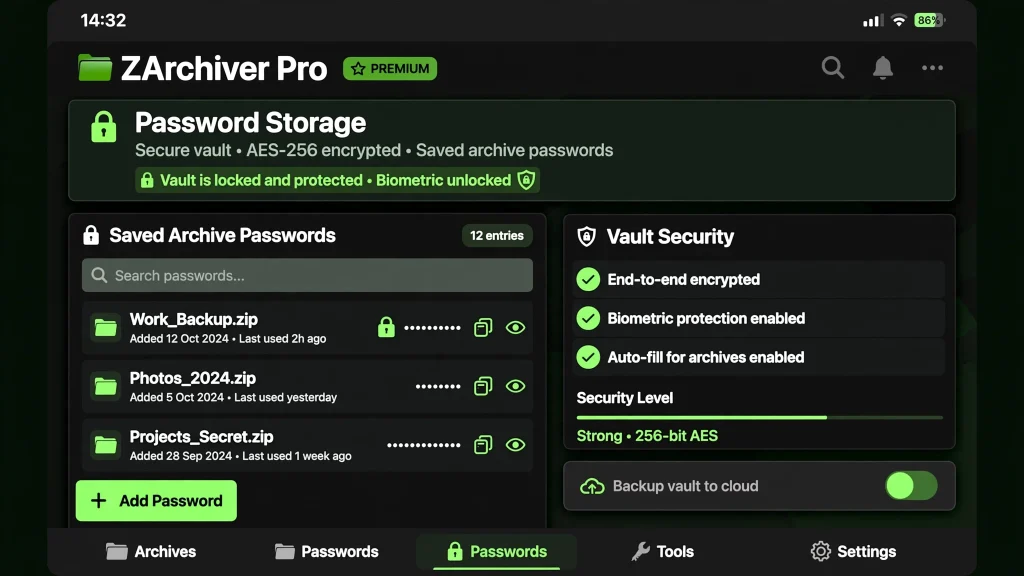
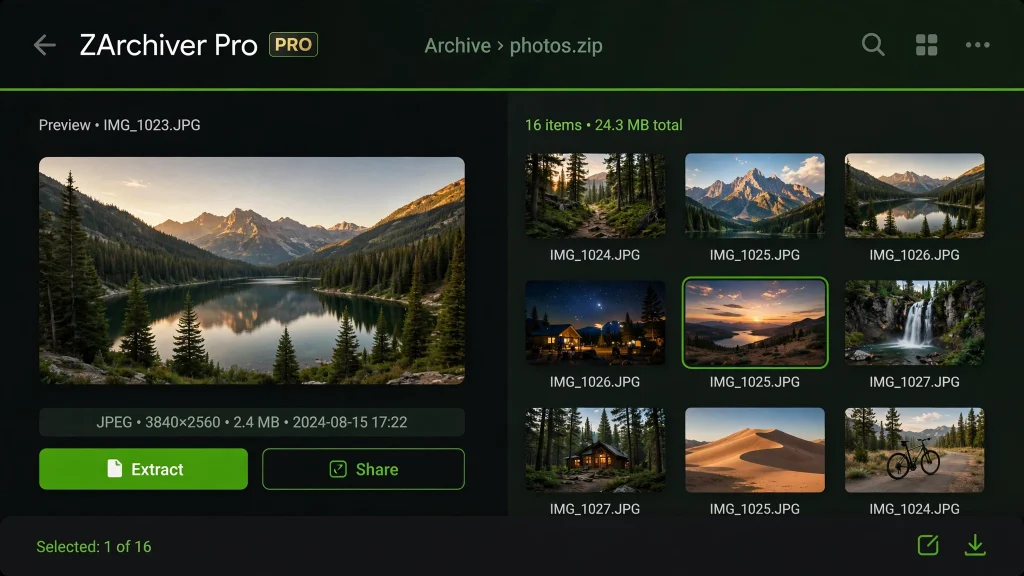
Image Preview Inside Archives
The ZArchiver Pro image preview feature lets you view supported images inside an archive before extracting them. You can check the contents and identify the images you need without unpacking every file.
Editing Files Within Supported Archives
ZArchiver can open a supported file in an external application and update it inside the archive after you edit and save it. This file-editing feature can save time when changing documents or other supported files without manually rebuilding the archive.
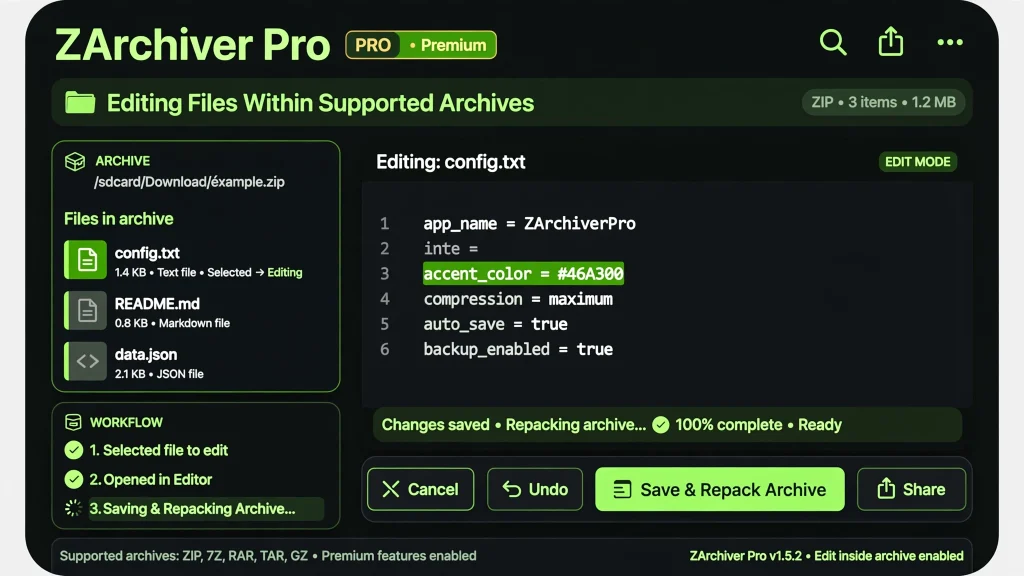
These additional features are listed for the ZArchiver Donate edition. Check the details of the specific version to confirm which features it includes.
ZArchiver Pro vs. Standard ZArchiver vs. Donate
When comparing ZArchiver Pro vs. ZArchiver, the names can be confusing because the developer uses Pro and Donate in different listings. The standard ZArchiver app provides archive management tools, while ZArchiver Donate is the special edition intended to support the project and includes additional features. The developer also lists localized Pro APK builds, so check the specific listing before deciding which edition you need.
Compare the Available Editions
Features |
Standard ZArchiver |
ZArchiver Donate |
ZArchiver Pro Apk |
|---|---|---|---|
|
Main purpose |
Everyday archive management |
Special edition for supporting the developer |
Localized Pro APK builds listed by ZDevs |
|
Create and extract archives |
Yes |
Yes |
Check the features of the specific build |
|
Light and dark themes |
Not listed as a Pro advantage |
Included among the listed Pro advantages |
Verify the specific build |
|
Password storage |
Not listed as a Pro advantage |
Included |
Verify the specific build |
|
Image preview inside archives |
Not listed as a Pro advantage |
Included |
Verify the specific build |
|
Editing files inside supported archives |
Check standard-edition feature details |
Included among the listed Pro advantages |
Verify the specific build |
|
Language and availability |
Depends on the distribution |
Depends on the distribution channel |
The developer lists Russian and Ukrainian localization |
Which Edition Should You Choose?
Choose standard ZArchiver for everyday archive management. Consider ZArchiver Donate if you want the additional features listed by the developer and wish to support the project. If you’re considering a ZArchiver Pro APK, review its language, version, and source first.
The difference between ZArchiver and ZArchiver Donate is mainly the additional Pro features and the Donate edition’s purpose. When researching ZArchiver Donate vs. Pro, remember that “Pro” is also used to describe the additional features in the Donate listing; it does not automatically mean there is a separate, universally available Pro edition with different features.
ZArchiver Pro APK Latest Version and Compatibility
Before choosing a Pro APK, check the version, language, and available build options. The official ZDevs listing currently displays version 1.0.10 as its newest listed Pro build, along with earlier releases. These Pro APKs are labelled for Russian and Ukrainian localization and are intended for users who cannot update the app for certain reasons.
If you are searching for a ZArchiver Pro APK latest version or a ZArchiver Pro APK download latest version, pay attention to the exact release and language rather than relying on the word “latest” alone. Version 1.0.9, 1.0.8, and other previous builds are also listed, so check the release details before choosing an APK.If you are searching for a ZArchiver Pro APK latest version or a ZArchiver Pro APK download latest version, pay attention to the exact release and language rather than relying on the word “latest” alone. Version 1.0.9, 1.0.8, and other previous builds are also listed, so check the release details before choosing an APK.
Choose the Compatible APK Architecture
The listed Pro APK builds include three architecture options. Choose according to your device’s processor rather than selecting a file only because its version number looks newer.
- ARMv8: For compatible 64-bit ARM devices.
- ARMv7: For compatible 32-bit ARM devices.
- X86: For compatible x86-based devices or environments.
Check your device’s architecture and the requirements for the specific APK before installing it. If you need an earlier release, compare its version and language details with the build you intend to use.
For anyone searching for a ZArchiver Pro latest APK download, the developer’s displayed version list is the reference for the releases covered here. The phrase “download ZArchiver Pro APK terbaru” also expresses the latest-download intent; whichever wording you use, verify the actual release before describing it as the newest version.
Older releases such as version 1.0.9 and 1.0.8 are listed in the version history. .If you need an earlier release, compare its version, language, and compatibility details before choosing a build. You can also explore our ZArchiver Old Version APK page to review previous releases and find the version information you need.
Download ZArchiver Pro APK for Android
Before choosing a version, check its language, compatibility, and edition details. The official ZDevs website lists localized Pro APK builds, while ZArchiver Donate is a separate special edition with additional features. Make sure the listing matches what you want before proceeding.
Compare the available version information and confirm the destination of the download link. Similar names do not guarantee that different APK files offer the same features or come from the same source.
Is the Pro Edition Free?
The standard ZArchiver app is free to use, while the Donate edition offers additional features. Some listings advertise Pro APKs as free downloads, but that wording alone does not establish whether the file is official or what features it includes. Check the edition, language, and distribution terms before making your choice.
ZArchiver Donate APK — Features and Download Information
ZArchiver Donate is a special edition published by ZDevs to support the project. Its listed advantages include light and dark themes, password storage, image previews inside archives, and editing files within supported archives. Before choosing a ZArchiver Donate APK for Android, check the edition, version, and details of the available listing.
If you’re looking for a ZArchiver Donate APK download, compare the available version information and confirm the destination of the download link. Whether you want to download the current release or find a ZArchiver Donate old version, make sure the listing matches the edition you need. Similar names do not guarantee that different APK files are identical or officially published.
Is ZArchiver Donate Free?
ZArchiver Donate is a separate special edition, not simply another name for the standard free app. Google Play lists it as a paid edition but currently notes that purchases are unavailable through its payment system. Availability may change, so don’t assume that a listing advertised as a ZArchiver Donate APK free download is official or that every version can be obtained free of charge. Check the edition and its distribution terms before proceeding.
ZArchiver Pro Mod APK and Gold APK — Are They Official?
People searching for a ZArchiver Pro Mod APK or a ZArchiver Pro Mod APK download may be looking for extra features. However, the term “Mod APK” describes a modified application package; it does not prove that the file was created or approved by ZDevs. Similarly, a listing called ZArchiver Gold APK should not be considered official based on its name alone.
ZDevs publishes the standard ZArchiver app, localized Pro APK builds, and ZArchiver Donate as a separate special edition. This means searches such as download ZArchiver Mod APK, ZArchiver Donate Mod APK, or download ZArchiver Donate Mod APK should be treated as search terms rather than proof that an official modified edition exists. Check the publisher, package name, version, and language before choosing a listing.
Searches for the ZArchiver Pro latest Mod APK, a ZArchiver Pro Mod APK for Android, or a ZArchiver Pro Mod APK old version combine version-related intent with a request for a modified file. The phrase ZArchiver Mod APK latest version does not establish that a verified release exists, and the wording ZArchiver Mod APK official does not make a file official. If you’re looking for additional features, compare the developer’s Pro APK information with the official Donate listing instead of relying on labels such as “Mod,” “Gold,” or “Premium.”
How to Install
Follow these five steps to complete the ZArchiver Pro APK installation on your Android device. Before starting, make sure you have selected the intended edition and a version compatible with your phone.
Step 1: Identify the Correct Edition
Check whether the selected listing refers to a localized Pro APK, ZArchiver Donate, or a modified version. Confirm the edition before proceeding.
Step 2: Check Version Compatibility
Review the Android requirements, language, and processor architecture for the selected build. Choosing a compatible version helps reduce installation problems.
Step 3: Open the Downloaded APK
Locate the downloaded file in your Downloads folder or file manager. Check its name and source before opening it.
Step 4: Install the Application
Tap the APK file and follow Android’s on-screen instructions. If permission to install apps from that source is requested, allow it only if you trust the file and its origin.
Step 5: Open and Verify the App
Once installation is complete, open the application and check that it works as expected. If installation fails, review the version requirements and APK details before trying again.
Is ZArchiver Pro APK Safe to Install?
Before installing an APK, check its source, version number, package identity, and compatibility details. Make sure the file matches the edition described on the download page, and avoid modified files whose publisher or contents cannot be verified.
For better APK security, scan the downloaded file with your device’s security tool and, where available, compare its signature or checksum with reliable publisher information. A security scan can help identify potential threats, but it cannot guarantee that a file is completely safe. Always verify the listing before treating it as an official APK.
Frequently Asked Questions
Conclusion
ZArchiver Pro APK offers additional features for users who want more convenience when managing archives. This guide covered its features, version information, device compatibility, and the differences between Pro, Donate, and modified APK editions. Before choosing a version, verify its source, language, and compatibility with your Android device to make an informed decision.